


Product information
Activate Apple CarPlay on your original BMW or MINI NBT EVO ID5 / ID6 infotainment system without replacing the factory screen or head unit.
Activation is performed using a Windows laptop + ENET cable + internet connection. The supplied activation software connects directly to the NBT EVO head unit, installs the required FSC licences and enables the selected features automatically.
No specialist BMW coding knowledge is required.
📌 Key Features
✔ Apple CarPlay activation
✔ Compatible with NBT EVO ID5 / ID6
✔ Original BMW / MINI screen retained
✔ Original iDrive controller and steering wheel controls retained
✔ Wireless Apple CarPlay
✔ Siri voice control
✔ Apple Maps, Google Maps & Waze
✔ Spotify, Apple Music, Tidal and other CarPlay apps
✔ Full Screen CarPlay option available
✔ FSC Set installation included with selected package
✔ Remote / self-service activation using ENET
✔ No replacement screen or aftermarket CarPlay box required
🔧 Compatibility – NBT EVO ID5 / ID6 Only
This product is designed specifically for vehicles equipped with:
BMW NBT EVO ID5
or
BMW NBT EVO ID6
These systems normally use the newer tile-style iDrive interface.
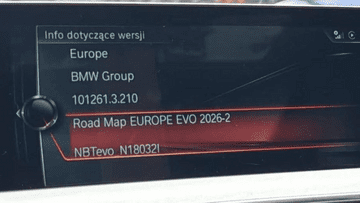
Your navigation map version will commonly display:
Road Map EUROPE EVO
However, EVO maps alone do not confirm ID5/ID6 because NBT EVO ID4 also uses EVO maps.
If you are unsure, send us:
✔ VIN
✔ Photo of the main iDrive menu
✔ Photo of Navigation System Version
and we will confirm compatibility.
🚫 Not Compatible With
❌ CIC
❌ NBT / NEXT
❌ NBT EVO ID4
❌ EntryNav / ROUTE
❌ EntryNav2 / WAY
❌ MGU / LIVE
❌ MGU2 / JOY
This activation is specifically for NBT EVO ID5 / ID6.
📱 What Apple CarPlay Adds
After activation, you can use compatible iPhone apps through the original BMW display.
Functions include:
✔ Apple Maps
✔ Google Maps
✔ Waze
✔ Spotify
✔ Apple Music
✔ Tidal
✔ TuneIn
✔ WhatsApp
✔ Messages
✔ Phone calls
✔ Siri voice commands
✔ Live traffic information through your phone
You can operate CarPlay using the original:
iDrive controller, steering wheel controls and voice button.
📡 Wireless Apple CarPlay
NBT EVO ID5 / ID6 uses Bluetooth + Wi-Fi for wireless Apple CarPlay.
Your head unit must therefore have the required Wi-Fi capability.
Some vehicles already have the necessary factory Wi-Fi antenna installed.
If the head unit supports CarPlay but the vehicle does not have a suitable Wi-Fi antenna, an antenna may need to be added for a reliable connection.
⚠️ A missing or poorly positioned Wi-Fi antenna can cause:
- CarPlay disconnecting
- Short connection range
- Slow connection
- CarPlay dropping while driving
A compatible Wi-Fi antenna can be installed directly on the NBT EVO head unit where required.
🖥️ Full Screen Apple CarPlay
Standard BMW CarPlay on some ID5 / ID6 software versions uses only part of the display.
Our Full Screen CarPlay option allows compatible systems to use substantially more of the original screen for CarPlay.
✔ Larger Apple Maps / Google Maps display
✔ Better Waze visibility
✔ Larger media interface
✔ Better use of wide BMW displays
⚠️ Full Screen CarPlay requires a compatible NBT EVO software level.
If your head unit has older firmware, a firmware update may be required before Full Screen can be enabled.
We will check this from your system information before activation.
🔑 What Is the FSC Set?
BMW NBT EVO functions are controlled by software licences called FSC certificates.
The FSC Set installs/restores the required licences for compatible features in the NBT EVO head unit.
Depending on the selected package, this can include the required licence configuration for:
✔ Apple CarPlay
✔ Navigation
✔ Voice Control / Speech
✔ BMW Apps / Smartphone functions
✔ Other supported NBT EVO functions
The installer automatically handles the required activation procedure.
💻 How the Activation Works
You will need:
✔ Windows laptop
✔ Stable internet connection
✔ ENET cable
✔ Vehicle available during activation
If you do not already have an ENET cable, one can be purchased separately.
Activation Process
- Connect the ENET cable between your BMW / MINI and laptop.
- Connect the laptop to the internet.
- Run the supplied Feature Installer / Headunit Activation software.
- Enter the activation details supplied with your order.
- The software connects to the NBT EVO head unit.
- Required FSC licences and coding are installed automatically.
- The head unit restarts.
- Pair your iPhone and start Apple CarPlay.
Typical activation is straightforward and does not require manual BMW coding.
🔢 Purchase Options
Option 1 – CarPlay Activation + FSC Set
Includes:
✔ Apple CarPlay activation
✔ Required FSC Set
✔ NBT EVO feature activation
✔ Installation instructions
Suitable if you want standard Apple CarPlay activation.
Option 2 – CarPlay + FSC Set + Full Screen + Screen Mirroring
Includes:
✔ Apple CarPlay activation
✔ FSC Set
✔ Full Screen Apple CarPlay
✔ Screen Mirroring / Miracast where supported
✔ Required coding / feature activation
✔ Installation instructions
Full Screen availability depends on the installed NBT EVO firmware.
📱 Android Phones
This activation enables native BMW Apple CarPlay.
It does not add native Android Auto to an NBT EVO ID5 / ID6 system.
Compatible Android phones may use BMW's Screen Mirroring / Miracast function where supported, but this is different from Android Auto.
If you specifically require Android Auto, a separate hardware retrofit solution may be required.
🗺️ Navigation & Lifetime Maps
If the selected FSC Set includes compatible navigation activation, we can also check the current navigation licence configuration.
NBT EVO ID5 / ID6 uses a different map activation method from older BMW systems, so it does not use the standard manual 20-digit FSC map code used by systems such as NBT EVO ID4.
If you also need newer Road Map Europe EVO maps, please contact us with your current map version.
🔋 Installation Requirements
During activation:
✔ Keep the laptop connected to power if possible
✔ Maintain a stable internet connection
✔ Keep the vehicle adequately powered
✔ Do not disconnect the ENET cable during programming
✔ Do not switch the head unit off while activation is running
Using a battery charger is recommended when the vehicle battery condition is uncertain.
📋 Required After Purchase
Please send us:
✔ 17-digit VIN
✔ Photo of your Navigation System Version
✔ Photo of the main iDrive menu
If ordering Full Screen CarPlay, we will also check whether your current NBT EVO firmware is suitable.
❗ Important Information
• For NBT EVO ID5 / ID6 only
• Activation is software-based – no aftermarket CarPlay box required
• Windows laptop + ENET cable + internet required
• Apple CarPlay operates wirelessly on compatible hardware
• Wi-Fi antenna may be required if not already fitted
• Full Screen requires compatible NBT EVO firmware
• Native Android Auto is not added by this activation
• Screen Mirroring is different from Android Auto
• Compatibility is checked before activation
📦 What You Receive
Depending on the selected option:
✔ Feature Installer / activation access
✔ Apple CarPlay activation
✔ Required FSC Set
✔ Full Screen activation if selected
✔ Screen Mirroring activation where selected/supported
✔ Installation instructions
✔ Activation support
Customer reviews
RELATED PRODUCTS
-
BMW & MINI NBT EVO 2026-2 Europe Map Update – One-Time or Lifetime Activation
From: £29.99(8)European maps for compatible BMW and MINI NBT EVO navigation, supplied by download or prepared USB with lifetime map activation matched to your system. -
BMW & MINI NBT NEXT / EVO ID4 Video in Motion Activation – DVD / USB
From: £39.99